
Using NABS Confidence
Home
Home is the landing page. It puts the team’s objectives next to the next retro, so the review does not wait for a quarterly meeting.
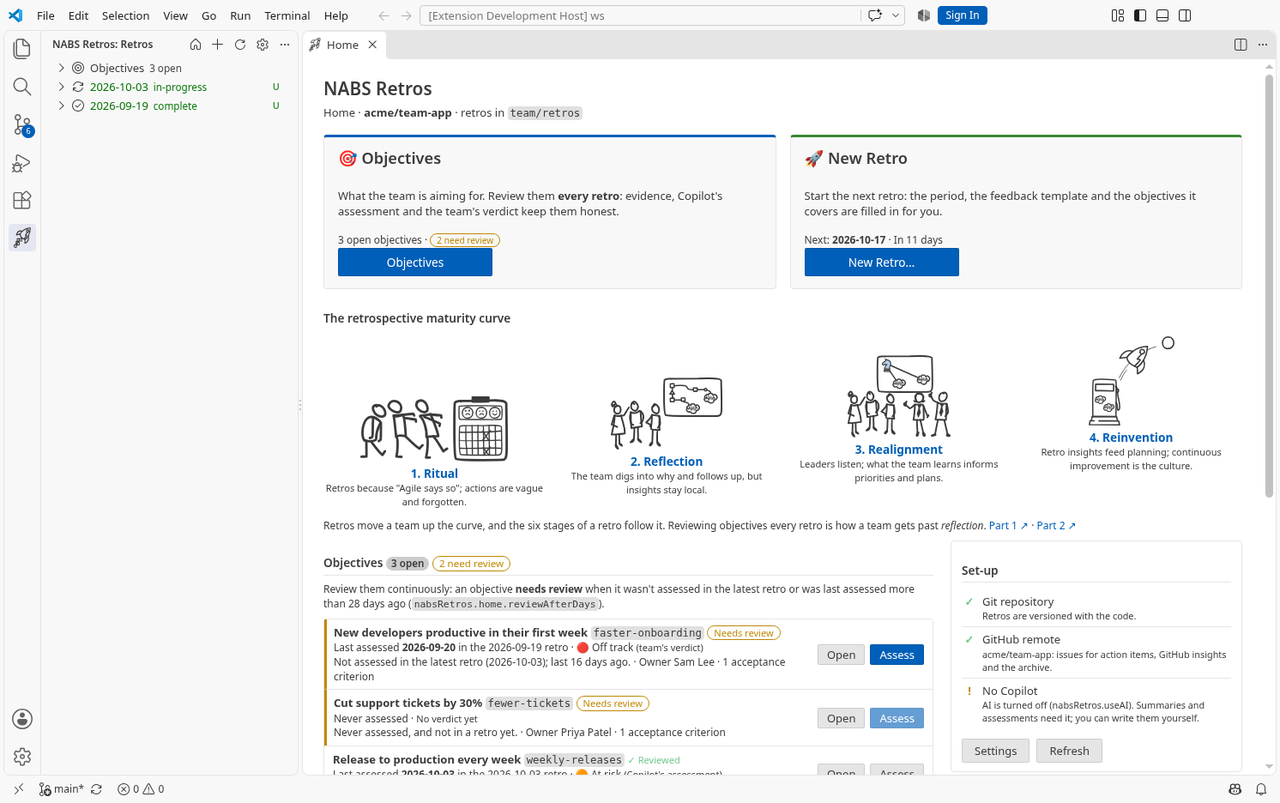
How it opens
- The house button in the Retros view’s title bar.
- NABS Confidence: Open Home, or Open Home in the view’s welcome text when there are no retros yet.
- By itself, when the Retros view becomes visible and no editor tab is open. That happens at most once per window. Close Home and it stays closed. It does not take focus from the Retros view.
Turn the automatic open off with nabsConfidence.home.openAutomatically set to never, or with This page on Home itself. With no retros, Open Retro Dashboard opens Home.
Two calls to action
Objectives opens the Objective form, or Create the First Objective when there are none. New Retro… opens the New Retro form. The hint under New Retro names the suggested next date. See the note below before you rely on that button to fill the date in.
Objectives that need review
Every open objective is listed with when it was last assessed, which retro that was, and the verdict. The team’s verdict is shown when there is one. Otherwise you see Copilot’s assessment, labelled so you can tell them apart.
An objective needs review when any of these is true:
- It has never been assessed.
- It was not assessed in the latest retro.
- Its last assessment is older than
nabsConfidence.home.reviewAfterDaysdays. The default is 28, which is two default periods. You can set 1 to 366.
The row says why. Open opens the Objective form. Assess opens the Objective Assessment panel for that objective, in the newest retro that covers it. Assess is unavailable, with an explanation, when no retro covers the objective yet. Achieved and dropped objectives are counted, not listed.
The latest retro, and the next one
The latest retro shows its stage, from the dashboard’s six stages, and Continue opens the Retro Dashboard there. If the stage was never saved (a retro from before the dashboard), Home says the stage was worked out from the retro’s content.
Under that, Home suggests two dates. Each period is nabsConfidence.defaultPeriodDays long (14 by default), starting the day after the previous suggested period. The first date is the latest retro’s period end plus that many days. If that day has passed, the suggestion is today, marked overdue, and the note says to hold it today. Dates that already have a retro are skipped. Each row shows the period it would cover, and Home lists the open objectives that retro would include. New Retro ticks those open objectives.
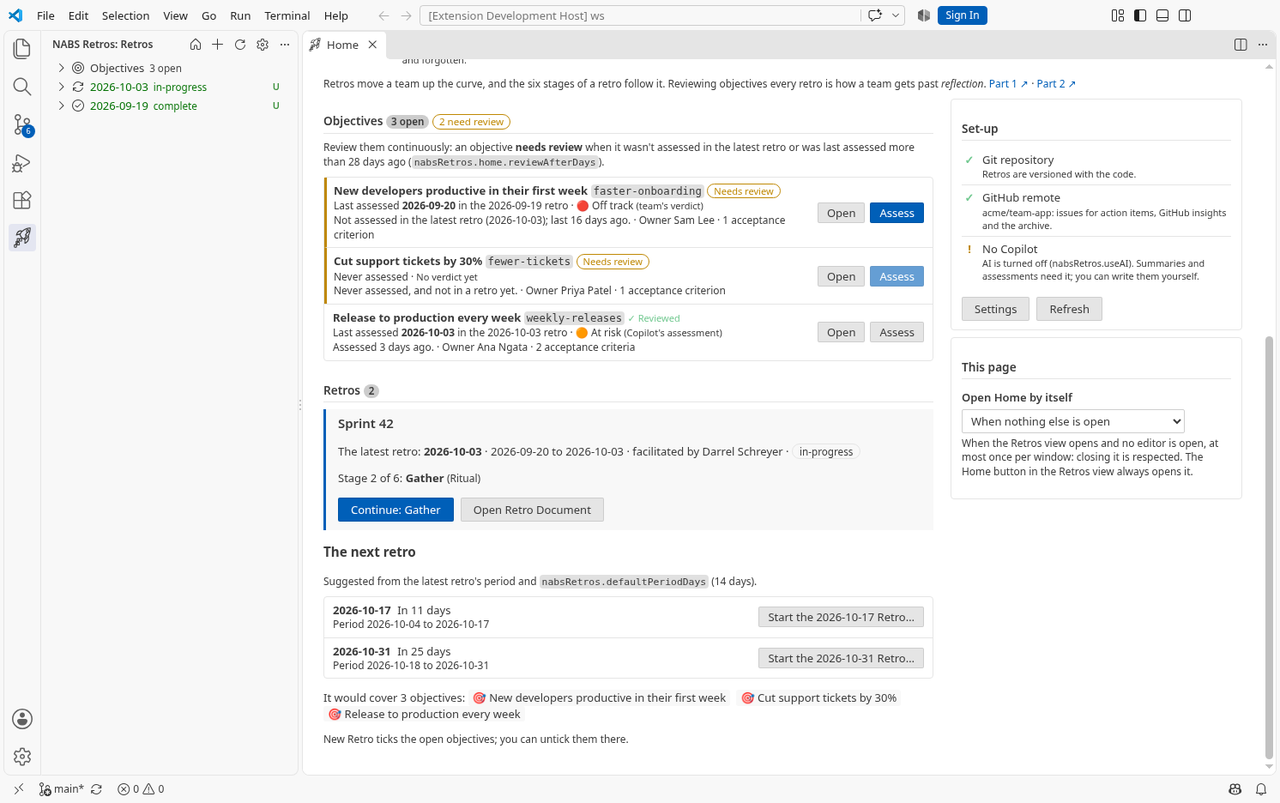
The Start button does not keep the suggested date. Start the <date> Retro… opens the New Retro form, and the form then resets its date to today. Set the date (and check the period, which follows the date) before you create the retro. The open objectives are ticked by the form’s own default, not because the button passed the suggestion through.
The curve, and Set-up
The four drawings are the maturity curve, with the same one-line captions, and links to the two articles. They follow VS Code’s theme.
Set-up reports three things: whether the folder is a Git repository, whether there is a github.com remote, and whether a Copilot model is available. A missing piece is a warning, not a block. Settings and Refresh are on that card.