
Using NABS Confidence
Archive to a GitHub Discussion
When a retro is finished, you can post it to a GitHub Discussion in a category called Retro Archive, then remove its files from the repository. The Discussion, the last commit that had the files, and team/retros/archive.json are the record.
Close & share is stage 6, on Reinvention on the maturity curve. The guided view of that stage is not built. The archive button is there anyway.
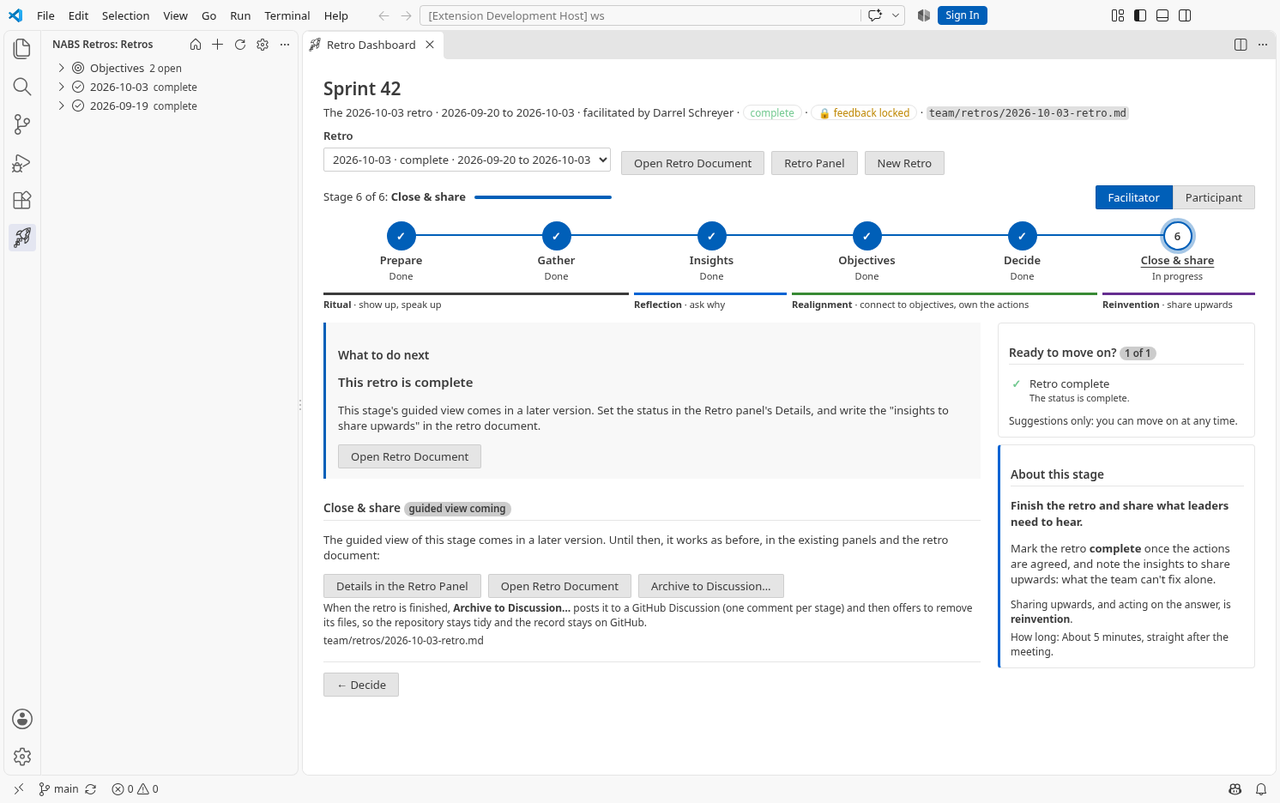
Open the Archive panel
Any of these opens it:
- NABS Confidence: Archive Retro to Discussion…
- Archive Retro to Discussion… on the retro’s right-click menu in the Retros view.
- Archive to Discussion… on the dashboard’s Close & share stage.
The panel has three parts: where it goes, what it posts, and removing the files. It uses the repository’s github.com origin and the same GitHub sign-in as action-item issues. It does not need Copilot. GitHub Enterprise is not supported. The panel does not require the retro’s status to be complete before you archive.
The Discussion category
The category must be named Retro Archive. The match ignores case. GitHub’s API cannot create discussion categories, so the extension does not try. If the category is missing, the panel says so and offers:
- Create the Category on GitHub, which opens GitHub’s page for a new category. You need maintainer access. The extension suggests the open-ended discussion format.
- Re-check, after you have created it.
- View Categories.
If Discussions are turned off, the panel links to the repository settings. It does not turn them on.
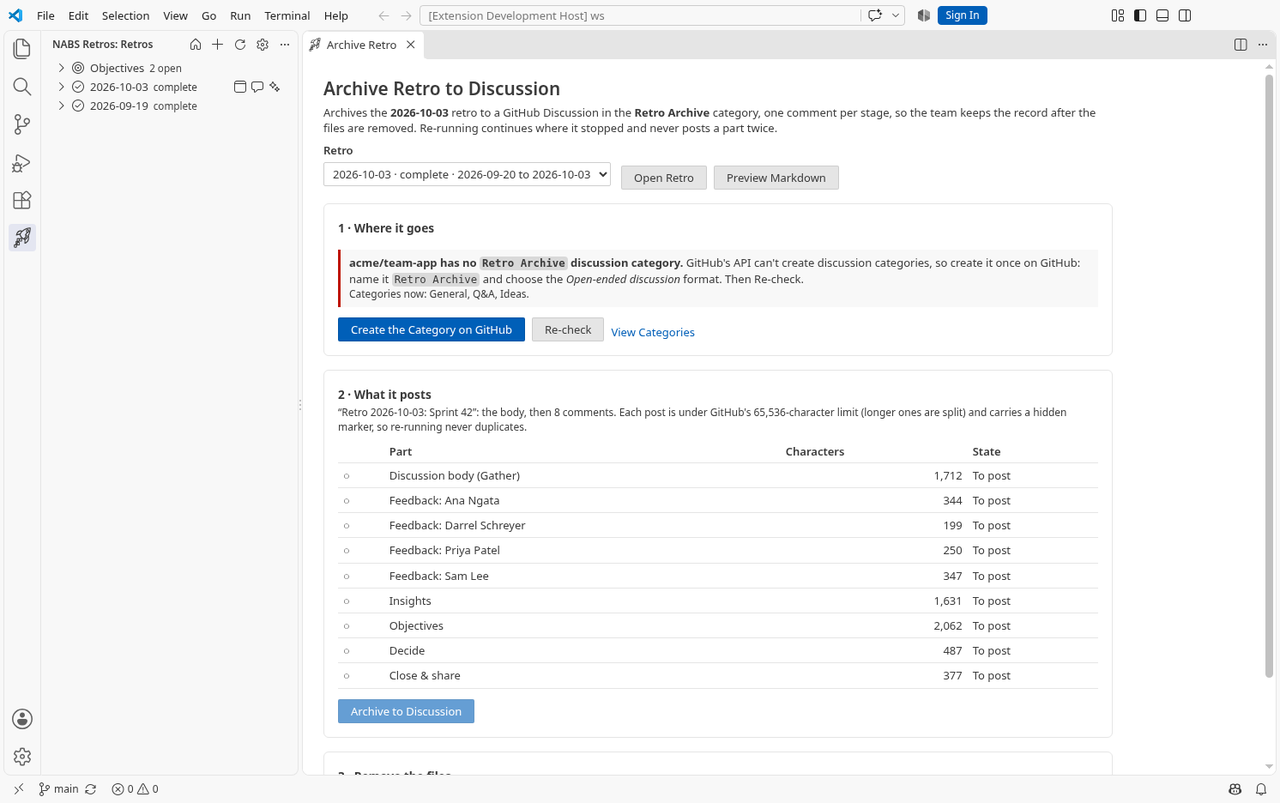
What gets posted
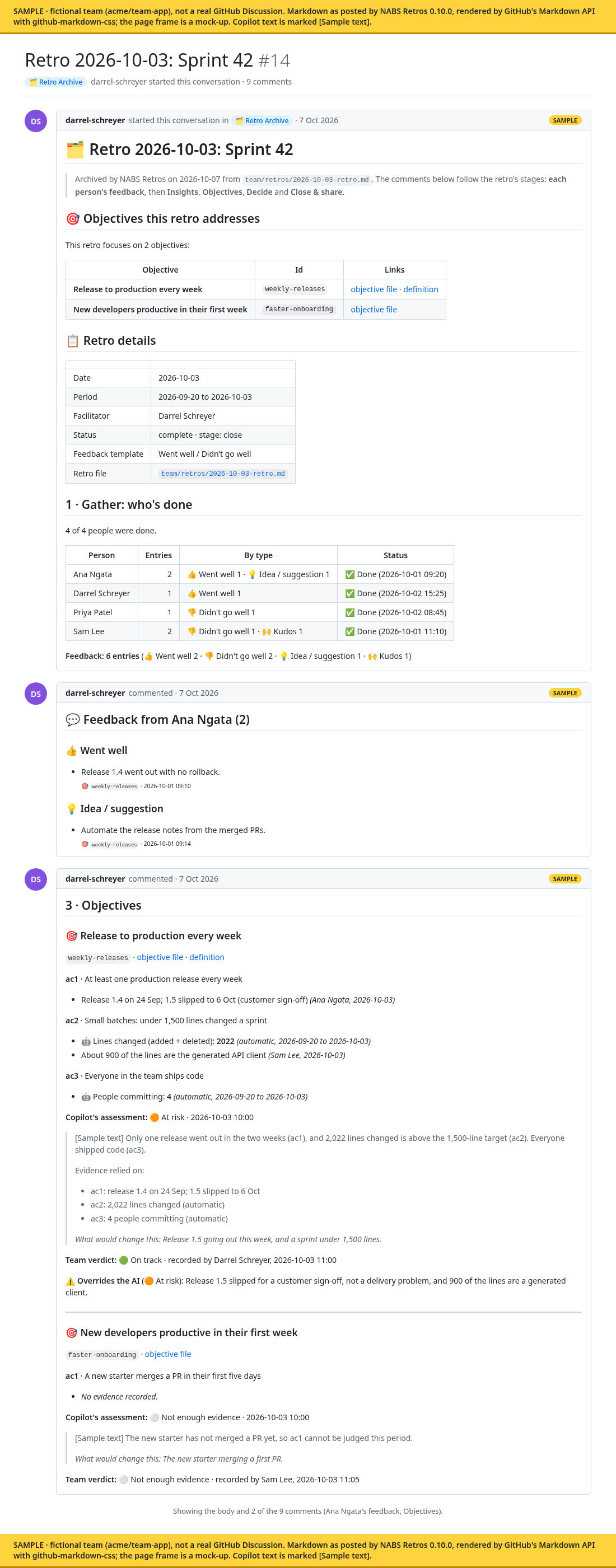
The title is Retro <date>: <title>. Preview Markdown shows the whole thing before anything is posted. The order is:
- The Discussion body, which is the Gather part: the objectives this retro addresses, the retro’s details, and who is done.
- One comment per person, their feedback grouped by type. Anonymous entries share one comment.
- Insights: the summary and the feedback themes. Repository data and previous actions are collapsed.
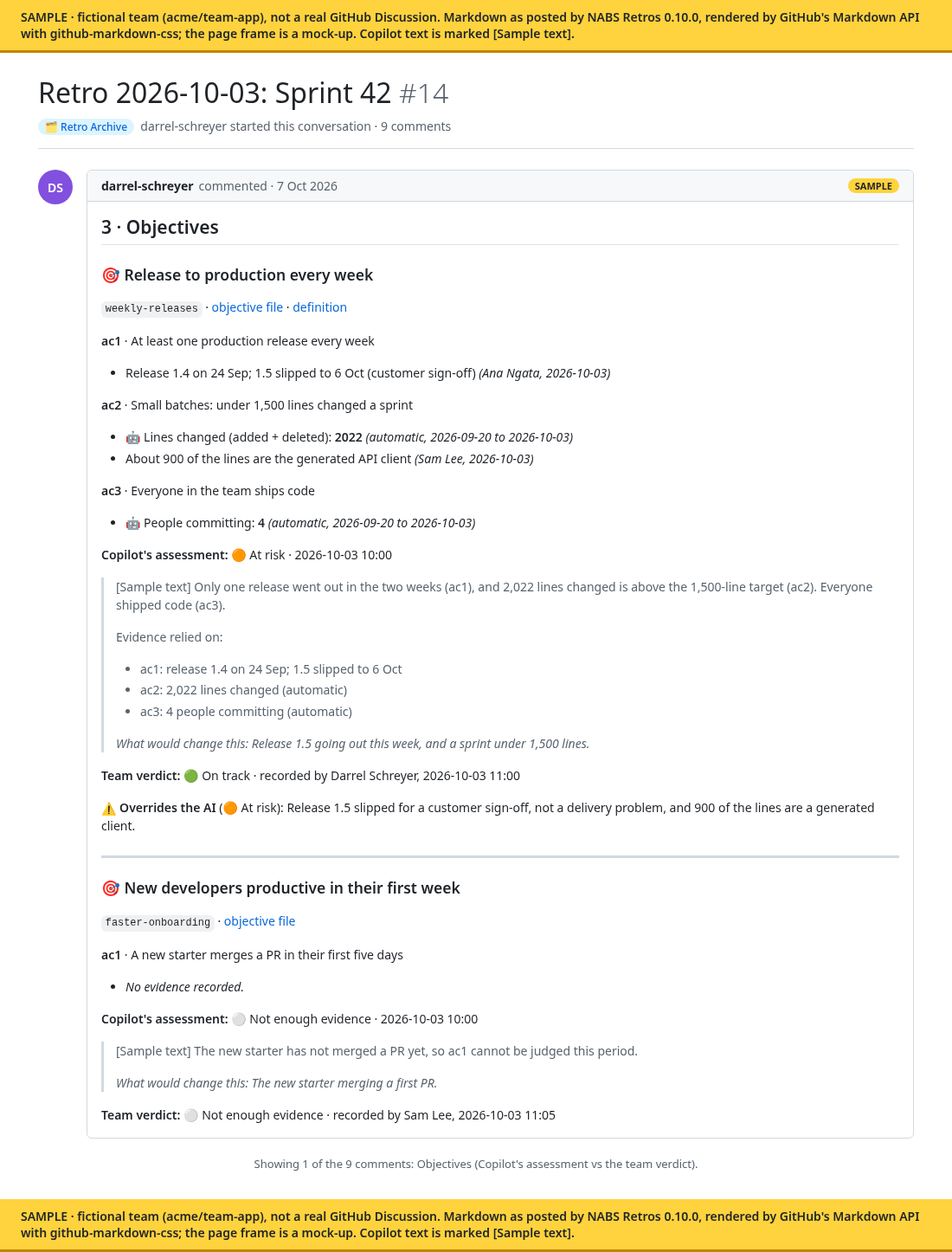
- Objectives: each criterion with its measure and the team’s evidence, Copilot’s assessment, and the team verdict. When the verdict overrides the assessment, the reason is included. If no objectives were chosen, the comment says so.
- Decide: the action items, with links to their GitHub issues. They are written as text, not as checkboxes.
- Close & share: the retro’s “Insights to share upwards”, or a note that the section is empty. The extension does not invent that note for you. There is no separate leadership digest.
- An archive record, added when you remove the files: the last commit that contained them, the file list, and a
git checkoutline that restores them.
A post that is longer than GitHub allows is split into continued parts.
If posting stops
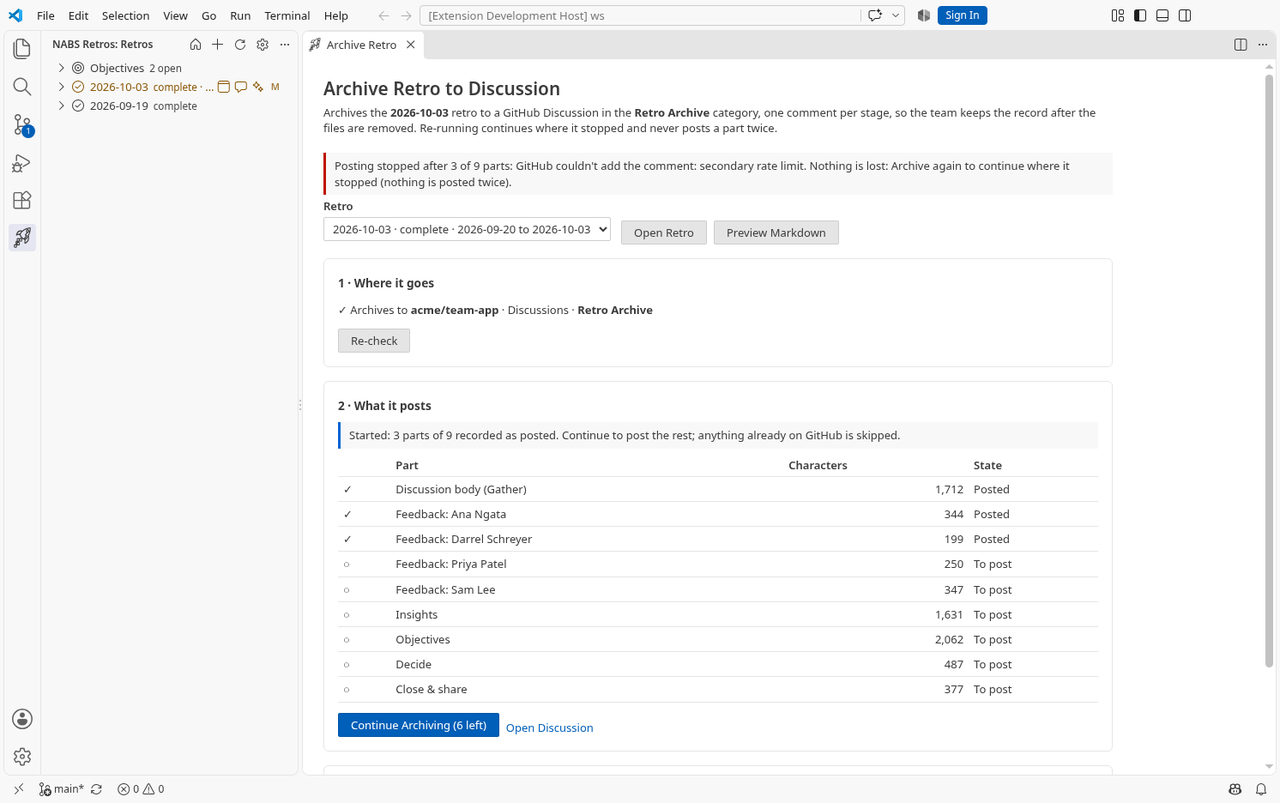
Every part starts with a hidden marker. After each part, progress is saved on the retro. On the next run, GitHub is checked again and parts already there are skipped, so a part is not posted twice. If a request fails, the panel tells you how many parts were posted and the button becomes Continue Archiving.
Removing the files
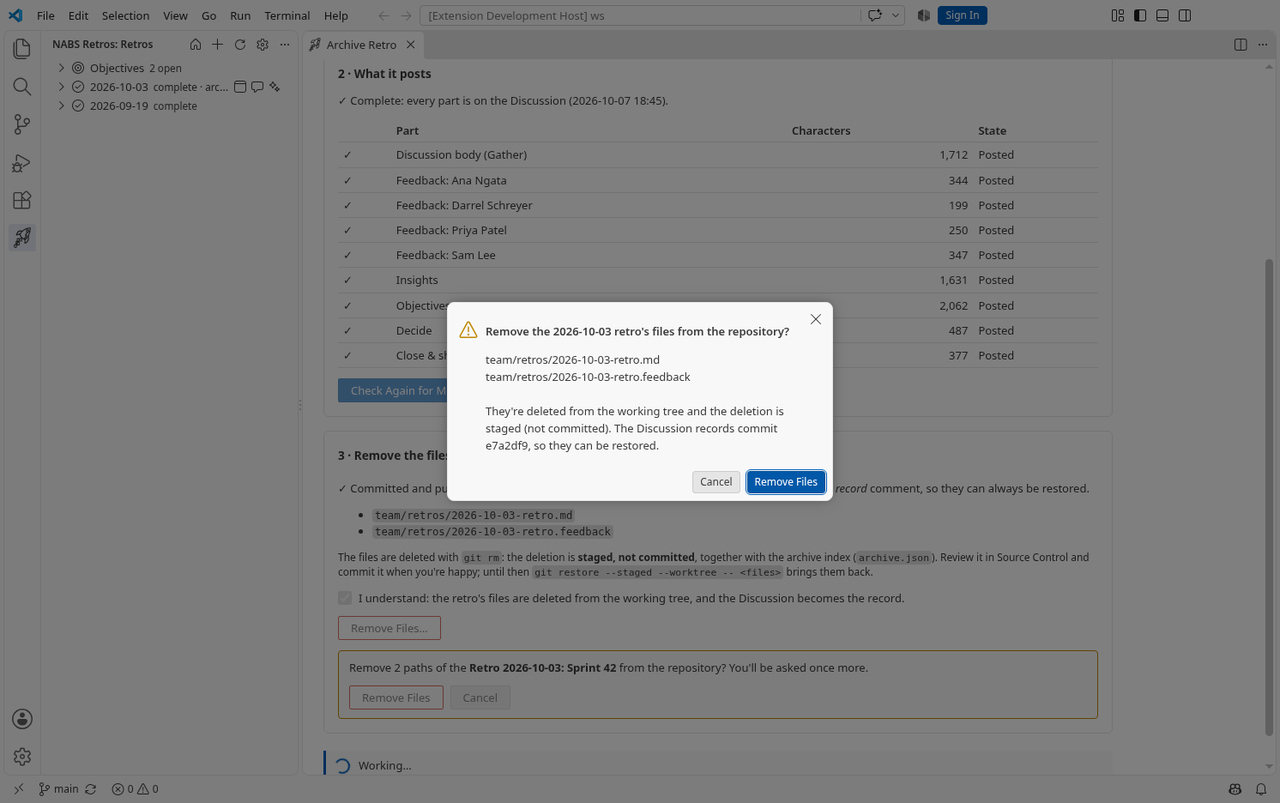
Removal is offered only after every part has been posted. It is refused, with the reason, unless the retro’s files are committed and pushed, including the front matter that posting just changed. The checks are read-only Git commands.
Confirming has three steps: a tick that you understand, an inline Remove Files…, then a dialog that lists the files and the commit. Then the extension:
- Posts the archive-record comment, with the last commit that contained the files.
- Updates
team/retros/archive.jsonwith the date, title, Discussion link, commit and who archived it. - Stages the deletion with Git, and stages
archive.json.
It does not commit. You review the change in Source Control and commit it yourself. Until you commit, you can undo it with Git. git restore --staged --worktree -- followed by the retro’s paths puts the files back. Delete the new archive.json entry as well if you are undoing the whole thing.
Finding an archived retro
The Retros view lists Archived retros at the bottom, from archive.json. Click one to open its Discussion. A retro that is still in the repository shows archiving or archived next to its status while the Discussion exists. @retro is told about archived retros and gives their links, because the files are gone.
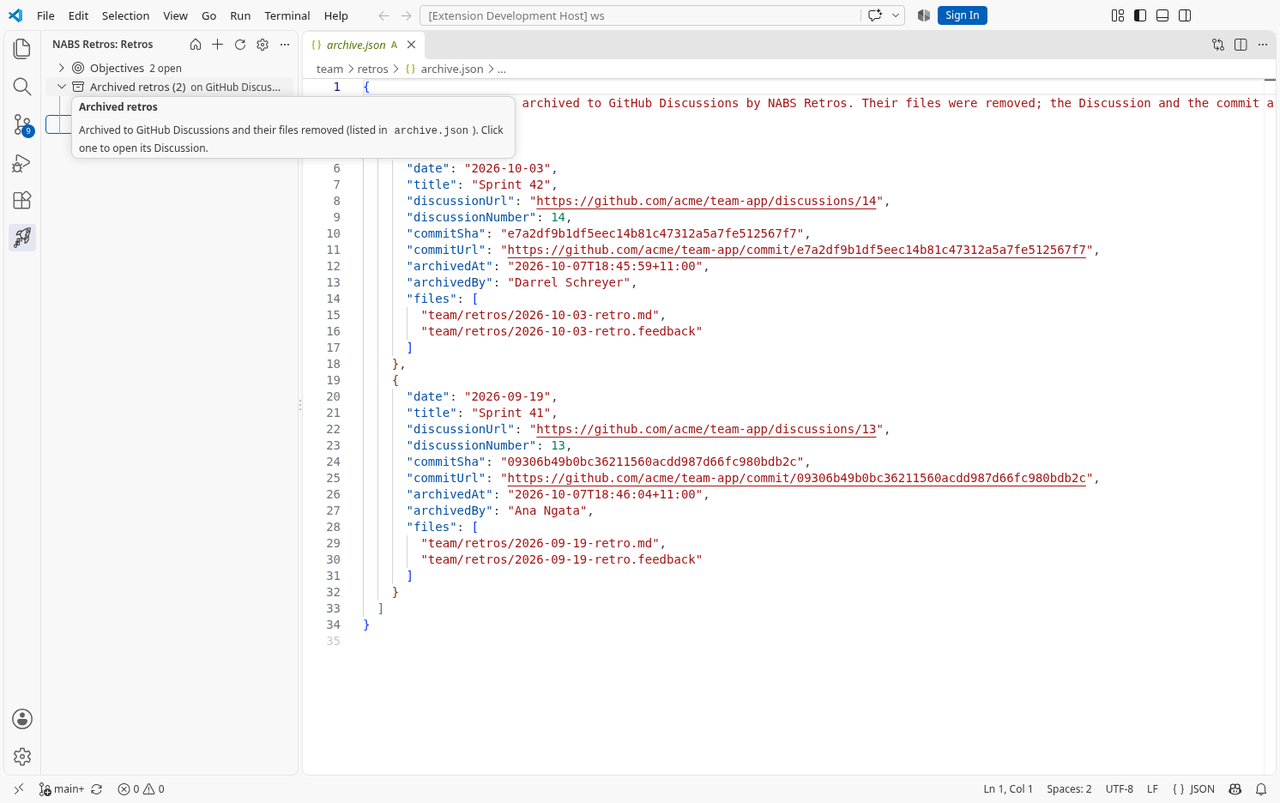
archive.json in the retros folder.Not in this version. There is no un-archive command. Restoring means running the git checkout line from the archive record, and deleting the Discussion on GitHub yourself. Re-running the archive does not update a part that was already posted. It only adds parts that are missing. There is no sync from the Discussion back to the retro.