
Using NABS Confidence
Feedback and Gather
Gather is one of the two guided stages. Each person writes in their own time, in their own file, and marks themselves done when they have said their piece.
Add an entry
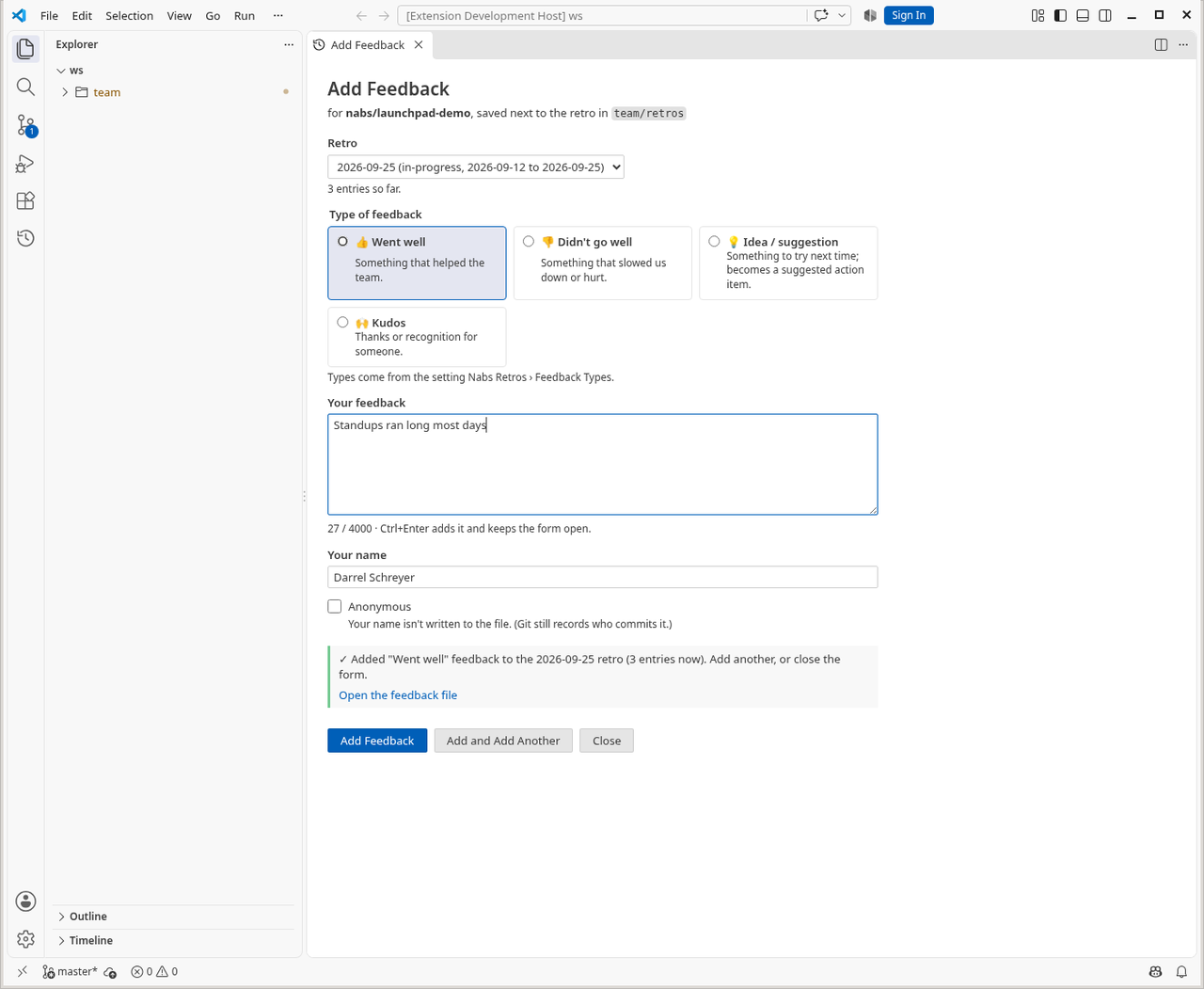
- Run NABS Confidence: Add Feedback…, or use the speech-bubble button on the retro. The dashboard’s Gather stage has the same action.
- Pick the retro if it is not already chosen. The types come from that retro’s feedback template.
- Choose a type. If the template has a rating scale, pick a rating. A trend, when the template has one, is optional.
- Write the feedback. You can link it to one of the retro’s objectives. The list offers only those objectives.
- Add saves and closes. Add and Add Another keeps the form open. Your name comes from Git
user.name. With no name, the entry is Anonymous and goes in the shared file.
I’m done
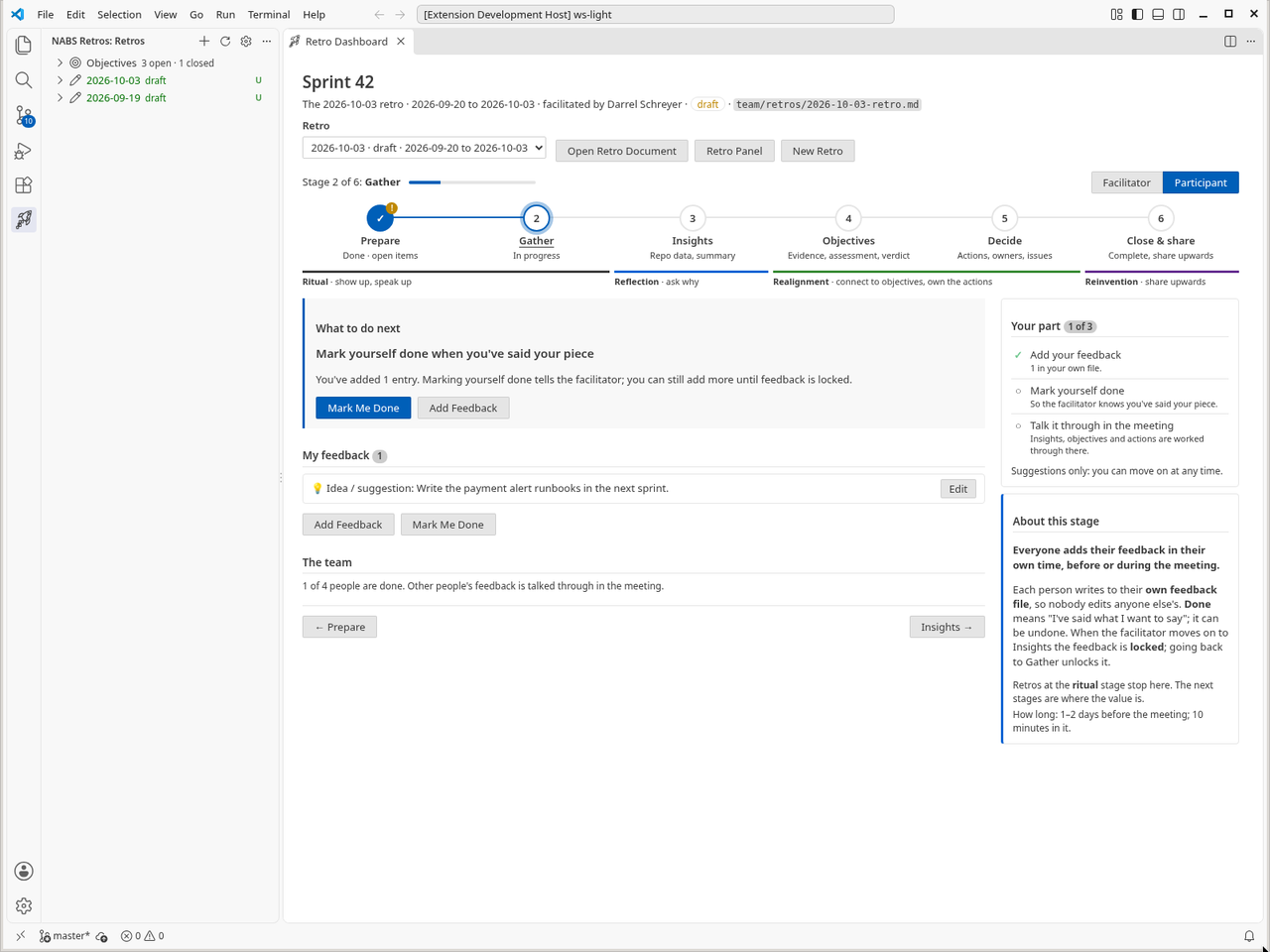
I’m Done is on the Add Feedback form, on the Retro panel, and on your name in the Retros view. It is also NABS Confidence: Mark My Feedback as Done. It records, in your feedback file, that you have finished. You can mark yourself not done, and you can still add or edit until feedback is locked. Done tells the facilitator. It does not freeze your entries by itself.
On Gather, the facilitator sees each person as done, still adding, or not started, and can Copy Nudge. The nudge is text to paste. The extension does not send it.
Edit, or show the file
Click an entry in the Retros view, or Edit on the Retro panel, to change the type, the rating or the text. Delete asks in a confirmation dialog. Show in Feedback File opens the Markdown at that entry. If someone else changed the entry while your form was open, the save is refused and you reopen it to edit the latest text.
The lock
When the facilitator moves the retro past Gather, feedback locks. Add, edit and delete in the forms stop, and the dashboard says so. Going back to Gather unlocks it. The message you see names the retro date.
Templates
The feedback template is chosen on New Retro, and stored on the retro, so later changes to the default do not rewrite old retros. Built-in templates are:
- Went well / Didn’t go well (the default, id
classic), plus an idea and kudos. - Mad / Sad / Glad.
- Start / Stop / Continue.
- 4Ls: Liked, Learned, Lacked, Longed for.
- Incident review (blameless), including a five-whys prompt.
- Pre-spective, looking ahead: hopes, fears, risks, commitments.
- Team health check: dimensions rated green, amber or red, with an optional trend of improving, about the same, or getting worse.
- Customer interview: insights, pains, gains, quotes, follow-ups.
Each template sets the types, the headings used when feedback is summarised, questions for the team, and extra guidance for Copilot. A team can add templates in the repository, point at a shared template repository, or replace a built-in by reusing its id. NABS Confidence: New Feedback Template… and Refresh Feedback Templates are on the Settings panel. Health-check trends across retros are not drawn as a chart in this version. The trend is stored on the entry, and the summary can mention it.
Summarise Feedback into Retro fills the retro’s feedback sections from the entries. With Copilot it asks for themes. Without Copilot it groups by type. If a section already has text, you are asked before it is replaced.
nabsConfidence.feedbackFiles chooses perPerson (the default) or shared. Switching does not hide feedback you already wrote. Both modes are read together.